Bluetooth Microphone App for iPhone
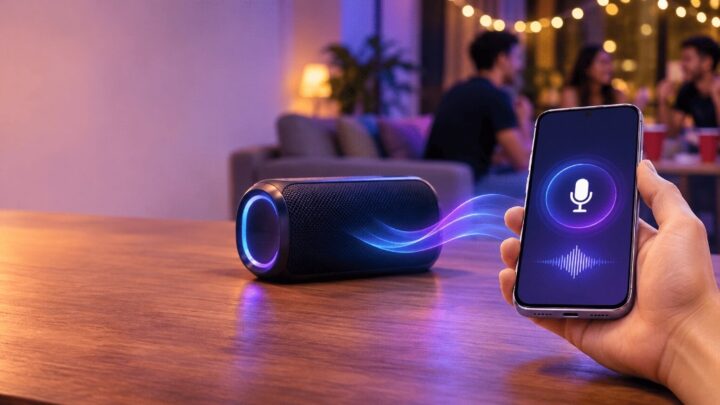
Use your iPhone’s built-in microphone with a Bluetooth speaker. LiveMic sends your voice to the speaker in real time, so you don’t need a separate Bluetooth mic.


iPhone: iOS 17.6 or later. Works with Bluetooth, AirPlay and wired speakers.

What a Bluetooth microphone app does
When people search for a “Bluetooth microphone app”, they usually want one thing: to speak into their phone and hear their voice come out of a Bluetooth speaker. That’s exactly what LiveMic does. Your iPhone’s built-in microphone picks up your voice, and the app sends it over Bluetooth to the speaker you’re connected to, in real time.
To be clear about what it isn’t: LiveMic doesn’t turn your iPhone into a Bluetooth microphone that other devices, like a laptop or TV, can record from. It’s built to play your voice out loud through speakers: Bluetooth, AirPlay or wired.
What you need
- An iPhone running iOS 17.6 or later
- A Bluetooth speaker (or an AirPlay or wired speaker)
- The LiveMic app
How to use your iPhone as a mic for a Bluetooth speaker
- Turn on the speaker and put it in pairing mode.
- On your iPhone, open Settings → Bluetooth and tap the speaker to connect. Step-by-step help: how to connect an iPhone to a Bluetooth speaker.
- Open LiveMic and check the output indicator. It should show your Bluetooth speaker.
- Set Volume low, tap the mic button and start talking. Turn it up until everyone can hear you.
Make sure your voice is really going to Bluetooth
A speaker can be connected while your iPhone still plays audio somewhere else. LiveMic shows the current output at all times and warns you when your voice isn’t routed to Bluetooth. If you see that warning, tap the output picker and choose your speaker. No guessing, and no talking into silence.
iPhone app or a dedicated wireless mic?
| iPhone + LiveMic | Dedicated wireless mic | |
|---|---|---|
| Extra hardware | None. Uses the speaker you already have | A microphone, often with its own receiver |
| Setup | Pair the speaker, open the app | Charge and pair the mic and receiver |
| Voice effects | 12 built-in, plus Volume and Echo sliders | Usually none |
| Best for | Home, classrooms, parties, quick events | Regular stage or professional use |
Tips for clear sound over Bluetooth
- Face the speaker toward the audience and stand behind or beside it. This is the best way to avoid feedback.
- Hold the bottom of the iPhone a few centimeters from your mouth. That’s where the main microphone is.
- Stay within range. Walls and distance weaken Bluetooth and can cause dropouts or extra delay.
- Use one speaker. Party or stereo-pair modes that link several speakers often add delay.
Troubleshooting
I hear my voice a moment late
LiveMic is built for very low latency, but every Bluetooth speaker adds some delay of its own, and some more than others. See how to reduce Bluetooth microphone delay. If timing is critical, a wired connection usually has the least delay.
There’s a squeal or echo
A squeal is feedback: the mic is hearing the speaker. Move away from it and lower the volume. Read how to fix echo when using a Bluetooth speaker.
Want to compare Bluetooth with AirPlay and wired? See mic to speaker with your iPhone. Planning a sing-along? Read turn your iPhone into a karaoke microphone.
Bluetooth microphone FAQ
Can my iPhone work as a Bluetooth microphone for a speaker?
Yes. With LiveMic, you speak into your iPhone and your voice plays through the connected Bluetooth speaker in real time.
Can I use it as a Bluetooth mic for my computer or TV?
No. LiveMic plays your voice through speakers (Bluetooth, AirPlay or wired). It doesn’t make your iPhone a microphone input for other devices.
Which Bluetooth speakers work?
LiveMic plays through the Bluetooth speaker your iPhone is connected to for audio. Sound quality and delay vary from speaker to speaker.
Does LiveMic record or upload my voice?
No. Audio is processed on your iPhone and never uploaded. The app has no ads and no analytics.
Is LiveMic free?
LiveMic offers weekly and yearly subscriptions, and the weekly plan includes a 3-day free trial. Current prices for your region are shown in the App Store before you subscribe.