
How to Connect a Microphone to a Bluetooth Speaker: 4 Ways That Actually Work
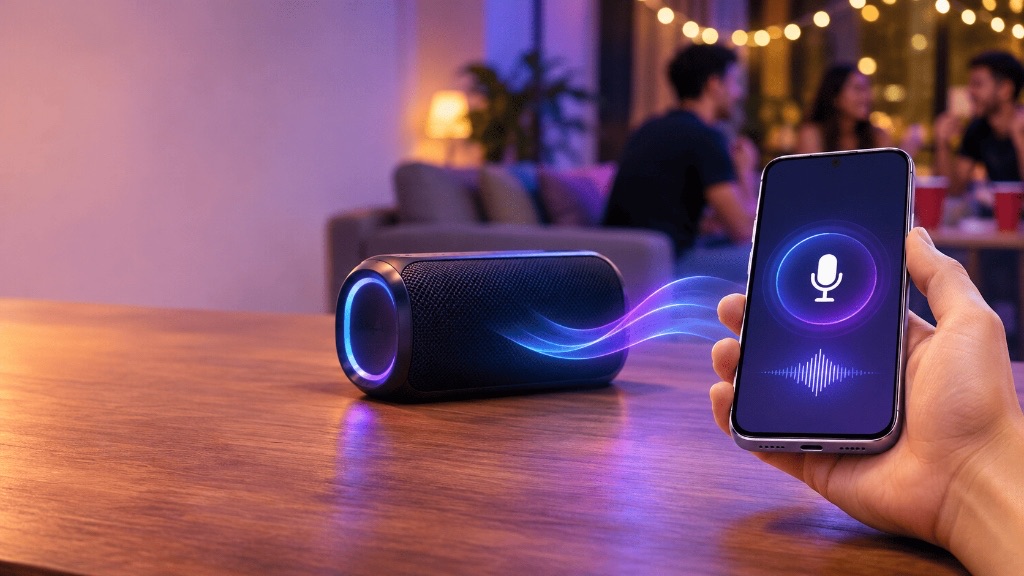
You have a Bluetooth speaker, you need people to hear you, and the obvious plan is to connect a microphone to it. Then you find out that the speaker won’t pair with a mic, or that the mic you plugged into the AUX jack is barely audible. That’s not a faulty speaker. Most Bluetooth speakers simply weren’t built to take a microphone.
This guide explains why, then walks through the four setups that do work. They range from the phone already in your pocket to a proper wireless mic kit. You’ll also find which one suits karaoke, a classroom, a toast or an outdoor class, and how to deal with the delay and squealing that trip most people up.
Quick answer: to connect a microphone to a Bluetooth speaker, either (1) use your phone as the microphone with a mic-to-speaker app, (2) plug a wired mic into the speaker’s MIC input if it has one, (3) run a wired mic through a small preamp or mixer into the AUX jack, or (4) connect a wireless mic receiver to the AUX or MIC input. A regular Bluetooth microphone can’t pair directly with a Bluetooth speaker.
The 4 ways compared
| Method | What you need | Extra cost | Delay | Best for |
|---|---|---|---|---|
| 1. Phone as the mic | Your phone + a mic-to-speaker app | None | Low when wired, noticeable over Bluetooth | Karaoke, toasts, classes, last-minute events |
| 2. Wired mic into a MIC input | A speaker with a MIC jack + a dynamic mic | Low | None | Party speakers, regular performers |
| 3. Wired mic + preamp into AUX | Dynamic mic, battery preamp or small mixer, cables | Low to medium | None | Speakers with only an AUX jack |
| 4. Wireless mic system | Transmitter + receiver, cable to AUX or MIC | Medium to high | Very low | Moving around, fitness classes, frequent events |
Why you can’t just pair a microphone with a Bluetooth speaker
Bluetooth audio has roles. Your phone is a source: it sends sound. A speaker is a receiver: it plays whatever a source sends it. A Bluetooth microphone is built to send sound to a phone or computer, which then does something with it. Put a Bluetooth mic next to a Bluetooth speaker and you have two devices waiting for something to happen. Neither one is set up to start the stream, so they never connect.
Some karaoke speakers ship with “wireless microphones” that work right away. Those use their own radio link made for that one speaker, which is why the mics only work with the speaker they came with.
You might also notice your speaker has a built-in microphone. That mic is for phone calls and voice assistants, and its sound travels to your phone, not out of the speaker. It can’t be used as a PA mic.
So there are really two ways to get a voice into a Bluetooth speaker: send it from a source device that already knows how to talk to the speaker, which is your phone, or go in through a physical input on the speaker.
Step zero: check your speaker’s inputs
Turn the speaker over or open its port cover and look for labels. What you find decides which methods are open to you.
| Label you see | What it means | Methods that work |
|---|---|---|
| MIC, MIC IN or a microphone icon | A real microphone input with a built-in preamp | 1, 2 and 4 |
| AUX, AUX IN or LINE IN | A line-level input meant for phones, laptops and other players. No mic preamp behind it. | 1 (wired or Bluetooth), 3 and 4 |
| Only a charging port (USB-C or micro-USB) | No audio input at all. The port is for power only. | 1 (over Bluetooth) |
Many newer compact speakers have dropped the AUX jack entirely. Larger “party” speakers are the ones most likely to have a proper MIC input, sometimes alongside a guitar input. If you’re not sure, the specifications page in the manual will list every input.
Method 1: Use your phone as the microphone (no extra gear)
Your phone already has a good microphone tuned for voices, and it already knows how to send audio to your speaker. What it’s missing is an app that takes the microphone and plays it live through the speaker. That’s exactly what LiveMic does. Tap one button and your voice comes out of whatever speaker your phone is connected to.
This is the fastest setup on this list, and the only one that works with every Bluetooth speaker, including ones without any input jacks.
How to set it up
- Pair your speaker with your phone in Bluetooth settings, the same way you would to play music. On iPhone that’s Settings → Bluetooth. Step-by-step help: how to connect an iPhone to a Bluetooth speaker.
- Open LiveMic and check the output indicator. It shows where your voice is going and warns you if audio isn’t routed to Bluetooth.
- Set the speaker’s own volume to about halfway, and keep LiveMic’s Volume slider low to start.
- Tap the mic and talk. Raise LiveMic’s Volume until the room can hear you clearly, then stop.
- For singing, add some Echo or try the Autotune effect. For speech, keep Echo off.
Bluetooth or cable?
Bluetooth always adds a little delay. Audio sent from a phone to a speaker typically arrives somewhere between 100 and 300 milliseconds late, depending on the speaker. The audience won’t notice this during a speech, but you might, because you hear your own voice and then the speaker a moment later. Singers notice it the most.
If your speaker has an AUX jack, a cable removes the wireless delay. Connect the phone’s headphone output to the speaker’s AUX IN (newer iPhones and most Android phones need a USB-C or Lightning to 3.5 mm adapter). LiveMic works the same way over a cable. For more ways to cut the lag, see how to reduce Bluetooth microphone delay.
How to hold your phone like a mic
- Find the microphone: on an iPhone it’s on the bottom edge, next to the charging port. Point that edge at your mouth.
- Hold it 5–15 cm (2–6 inches) from your mouth and keep the distance steady. Moving it closer and further changes your volume more than you’d expect.
- Keep your fingers off the bottom edge so you don’t cover the mic.
- Turn on Do Not Disturb or a Focus mode so a notification sound doesn’t go through the speaker mid-sentence.
Good to know: LiveMic processes all audio on your phone. Nothing is recorded or uploaded, and there are no ads. It’s available for iPhone (iOS 17.6 or later) and on Google Play.
Method 2: Plug a wired mic into the speaker’s MIC input
If your speaker has a MIC jack, this is the simplest hardware option: there’s no delay and nothing to pair. The input already has the preamp a microphone needs.
- Use a dynamic handheld microphone. Dynamic mics need no power, they handle loud voices well, and they pick up less of the room than other types, which helps against feedback.
- Match the plug to the jack. Speaker MIC inputs are usually 6.35 mm (1/4 inch) or a combined XLR/6.35 mm socket. A simple XLR-to-6.35 mm cable works when the jack is a real MIC input.
- Avoid condenser mics unless they have their own battery. Most condenser mics need phantom power, which portable speakers don’t supply.
- Turn the speaker’s mic volume (often labeled MIC VOL or MIC GAIN) all the way down before you plug in, then bring it up while you talk.
Party speakers with a MIC input usually mix the mic with Bluetooth music, so you can play a backing track from your phone and sing over it. Check your model’s manual if you need this, because not every speaker does it.
Method 3: Wired mic into AUX, with a preamp
This is where most people get stuck. They buy a microphone and an adapter, plug it into the AUX jack, and hear almost nothing, or a faint voice buried in hiss.
The reason is signal strength. A microphone puts out a very weak signal, measured in thousandths of a volt. An AUX or LINE input expects the much stronger signal a phone or laptop sends, roughly a hundred to a thousand times stronger. A microphone input has a preamp to close that gap. An AUX jack doesn’t. An adapter changes the shape of the plug, but not the strength of the signal.
The fix is to put a preamp between the mic and the speaker:
- A small battery-powered mic preamp: mic goes in, a line-level signal comes out, cable to the speaker’s AUX IN.
- A compact mixer: it does the same job, and lets you add a second mic or a music player and balance them. This is useful if two people are speaking, or for karaoke with a backing track.
- A microphone with a built-in line-level output: some USB-C or battery-powered mics can output line level. Check the specs for “line out” rather than assuming.
Watch out for phone headset and clip-on mics with a 3.5 mm plug. Many are designed to plug into a phone’s combined headphone/mic jack and won’t work in a speaker’s AUX input at all.
Method 4: A wireless microphone system
A wireless mic system is a transmitter (the handheld mic or a clip-on pack) and a receiver. The two pair with each other, not with your speaker. You connect the receiver to the speaker with a cable:
- Plug the receiver’s output into the speaker’s AUX IN, or into MIC IN if the receiver has a mic-level setting.
- If the receiver has an output level control, set it to its highest or line setting when using AUX, so the speaker gets a strong signal.
- Turn everything on with the volume low, and keep the transmitter away from the speaker while you do.
- Tap the mic, then raise the speaker volume until it sounds right from where the audience will be.
Wireless systems cost the most and are one more thing to charge. In return, they have very little delay and let you walk around freely. They’re worth buying if you run fitness classes, tours or regular events. For a one-off birthday or a single presentation, method 1 gets you most of the way for free.
What about “Bluetooth karaoke microphones”?
The handheld karaoke mics sold online with a speaker built into the handle are complete systems on their own. Your phone sends music to the mic over Bluetooth, and your voice and the music come out of the mic’s own small speaker. They don’t send your voice to your existing Bluetooth speaker, and they won’t fill a room. They’re fun toys for kids and parties, but not a way to turn your speaker into a PA.
Which setup should you use?
| Situation | Best choice | Why |
|---|---|---|
| Karaoke night at home | Phone as the mic (method 1) | Free, with Autotune and Echo built in. Play the lyrics video from the TV or laptop. |
| Birthday toast or wedding speech | Phone as the mic | Takes seconds to set up, and nothing to buy or forget at home. |
| Teacher or tutor in a classroom | Phone as the mic, wired if possible | Saves your voice without buying a dedicated voice amplifier. |
| Outdoor fitness class or tour | Wireless system (method 4) | You’re moving, breathing hard and away from the speaker. |
| Regular band or open-mic nights | Wired mic into a MIC input (method 2) | No delay, a sturdy dynamic mic, and a speaker built for it. |
| Speaker with only an AUX jack, and you need a real mic | Mic + preamp (method 3) | The only way to get a usable level from a wired mic. |
For more room-by-room setups, read how to use your phone as a microphone for a speaker. For louder speech in particular, see using your iPhone as a voice amplifier.
Get good sound whichever method you choose
Put the speaker in front of you, facing the audience
The single biggest improvement is placement. The speaker should be between you and the audience, facing them, with you beside or behind it. Raise it to about chest height on a table or shelf so the sound carries over people’s heads instead of into the first row.
Set levels in the right order
- Start with everything low: speaker volume, mic volume, app volume.
- Set the speaker to about half volume.
- Talk at your normal performing volume and raise the mic or app level until you sound clear.
- Only then raise the speaker, if the room needs more.
Doing it in this order gives you a cleaner sound and makes feedback less likely than maxing out one knob.
Beat feedback before it starts
Feedback is the rising howl you get when the microphone picks up the speaker and sends it round again. Keep the mic out of the speaker’s line of fire, keep a few steps between them, and hold the mic close to your mouth so you need less volume overall. If a ringing tone starts to build, back the volume off slightly rather than waiting for the squeal. More fixes: how to fix echo when using a Bluetooth speaker.
Do a sound check from the back
Say a few sentences from the spot where you’ll actually stand while a friend listens from the back of the room. What sounds loud next to the speaker is often just right at the back.
Charge everything
Bluetooth speakers drain much faster at high volume than at background-music levels. Start fully charged, or plug the speaker in. Keep your phone charged too.
Troubleshooting
| Problem | Likely cause | Fix |
|---|---|---|
| No sound at all | Wrong input selected, or a Bluetooth mic you tried to pair directly | Switch the speaker to the right source. Remember that Bluetooth mics don’t pair with speakers. |
| Very quiet and hissy | Mic plugged into AUX without a preamp | Add a preamp or mixer (method 3), or use your phone as the mic. |
| Squealing or howling | Acoustic feedback | Move away from the speaker, turn it to face away from you, lower the volume slightly. |
| You hear yourself twice | Bluetooth delay | Stand beside or behind the speaker, or switch to a cable. See reducing delay. |
| Voice cuts out | Bluetooth range or interference | Stay within about 10 m (30 ft) with a clear line of sight. Crowds and walls block the signal. |
| Music stops when you plug in a cable | The speaker switches to AUX instead of mixing | Play the music from a second device, or use a speaker or mixer that mixes inputs. |
Frequently asked questions
Can I connect a wireless microphone to a Bluetooth speaker?
Yes, if the wireless mic comes with its own receiver. Connect the receiver to the speaker’s AUX or MIC input with a cable. What doesn’t work is pairing a Bluetooth microphone directly with a Bluetooth speaker, because both are built to talk to a phone or computer, not to each other.
Can I connect a microphone to a JBL, Bose or Sony Bluetooth speaker?
It depends on the model, not the brand. Check for a MIC input or an AUX/LINE input using the table above. If the speaker has no inputs, using your phone as the microphone over Bluetooth is the only option, and it works with any speaker your phone can pair with.
Why is my microphone so quiet through the AUX port?
Because AUX is a line-level input with no microphone preamp. The mic’s signal is far too weak for it. Use a preamp or small mixer between the mic and the speaker, or use a mic designed to output line level.
Can I use my phone as a microphone for a Bluetooth speaker?
Yes. Pair the speaker with your phone, open a mic-to-speaker app such as LiveMic, and tap the mic button. Your voice plays through the speaker live. A cable to the speaker’s AUX jack, if it has one, gives the lowest delay.
Will there be a delay?
Over Bluetooth, there’s usually a short delay, typically 100 to 300 milliseconds depending on the speaker. It matters most to the person speaking or singing. Wired connections, MIC inputs and dedicated wireless mic systems have little to none.
Can I play music and use the microphone at the same time?
Party speakers with a MIC input usually mix the mic with Bluetooth music. With a phone as the mic, play the music from a second device, such as a TV, laptop or tablet. That’s also how most people run karaoke with an iPhone.
Try it with the speaker you already own
Before you buy a microphone, cables and a preamp, try the setup that needs none of them. LiveMic turns your phone into a live microphone for Bluetooth, AirPlay and wired speakers, with 12 voice effects including Autotune, Echo and Robot. It’s free to download, and the weekly plan starts with a 3-day free trial.